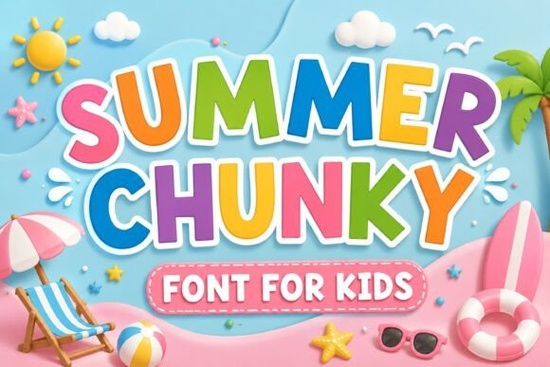
When you are preparing materials for a warm-weather sale, picking the right typography sets the tone immediately. Whether you are designing party invitations for a backyard birthday or creating new merchandise for your online store, the letters you choose convey energy before anyone reads the words. The Summer Chunky font brings a bright and cheerful cartoon aesthetic inspired by sunny beach days. With its bold shapes, this typeface helps brands communicate a joyful message across various digital platforms and physical products alike.
Where does this style shine best?
This particular family excels when visibility is key. Because the letterforms are thick and rounded, they maintain clarity even when scaled down for small icons or up for large signage. Many creators find it useful for packaging labels where the product needs to stand out on a crowded shelf. You will notice it works exceptionally well on items like tote bags, mugs, and stickers because the curves are simple enough to cut easily on vinyl machines.
If you run a business focused on children’s products, the playful personality matches perfectly. Parents often associate bold, rounded lines with safety and approachability. For instance, a nursery banner or a kids’ book cover benefits from that friendly vibe. Unlike stricter geometric sans-serifs, this style feels organic and inviting rather than rigid. If you want to explore similar whimsical options that still offer strong legibility, you might also check out Oopsy Doodle which offers a comparable lighthearted tone.
How does it compare to other colorful options?
Designers often look for variety while maintaining a cohesive theme throughout their projects. While you have your base header set, sometimes secondary elements need support. For a broader collection of vibrant choices that complement this energetic feel, Juicy Lemon provides a citrus-inspired alternative that shares the same color-forward mindset. It allows for mixing and matching styles without losing the summer aesthetic completely.
For larger formats like banners or social media covers, contrast matters. Sometimes a softer touch balances out heavy headlines. If you need something that suggests movement alongside your static images, Waves Beach introduces fluidity that mimics water motion. This combination can simulate the feeling of a breeze hitting your audience. On the flip side, if your campaign focuses on urgency or clear communication, Moment Request serves as a solid backup for call-to-action buttons where speed and clarity are paramount.
Not every project demands high energy. Some moments require a friendlier, more helpful approach. In those instances, referencing styles found in Helpful Person ensures your design remains accessible and polite. Mixing these distinct characters helps prevent your layout from becoming monotonous. By alternating between chunky headers and supportive body text, you create a visual hierarchy that guides the eye naturally through your composition.
What makes it easy to work with?
Tech specifiers matter just as much as visual appeal. Most files available for purchase include standard formats compatible with Adobe Illustrator, Photoshop, and Canva. This versatility means you can edit kerning and tracking freely without worrying about missing glyphs. Before downloading any assets, ensure you verify the license terms regarding commercial use. If you are unsure where to find a wide range of tested designs, you can browse more options by searching for Summer Chunky directly on the marketplace.
Licensing is always a crucial step for creators selling physical goods. Ensure you understand the difference between personal and commercial usage rights associated with your specific download. Most packages allow unlimited printed copies within reasonable limits, but re-selling the font itself as a digital file is generally prohibited. Always read the included PDF guidelines to stay compliant with the creator's wishes.
Quick setup guide
- Install the font files to your system folders after extraction.
- Create your design layer and select the new family from the dropdown menu.
- Adjust point size until kerning looks balanced across your headline.
- Test print a small sample to check how colors render on your specific material.
- Save your final export as a high-resolution PNG or PDF depending on your printer’s requirements.
Using the right typeface simplifies the creative process significantly. Instead of spending hours searching for stock imagery, letting your text carry the visual weight often produces cleaner results. Remember to test your designs in black and white as well as color to ensure legibility remains consistent regardless of printing constraints.
Get Started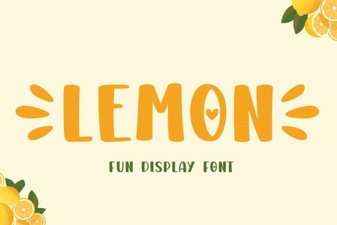 Fresh Fonts: Lemon's Creative Typography Ideas
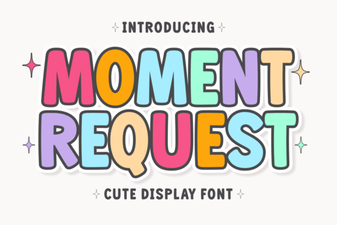 The Moment Request Font for Your Design Projects
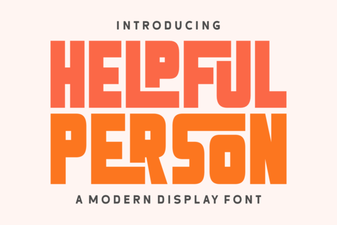 Helpful Person Font: Open Type Designs for Your Community Projects
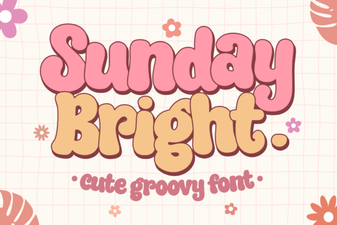 Sunday Bright Font: Projects & Creative Designs
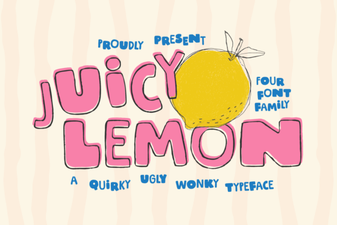 Fresh & Playful: the Juicy Lemon Font Collection
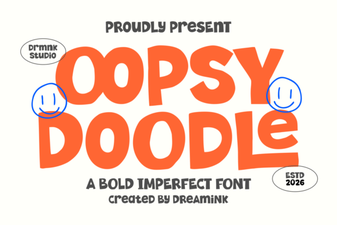 Craft Fun Projects with Oopsy Doodle Font