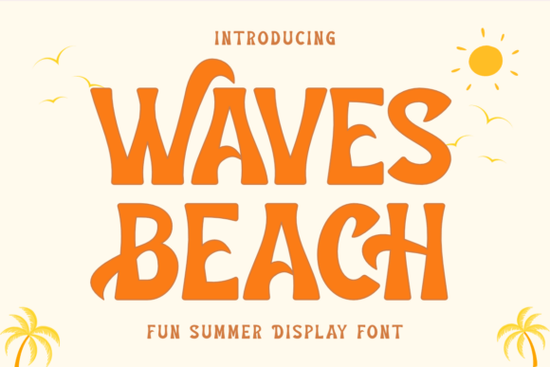
If you are working on a summer-themed project, you know that typography needs to carry the mood just as much as the images. A standard sans-serif often feels too rigid for sunny days and ocean breezes. This is where Waves Beach Font comes into play, offering a relaxed, wavy aesthetic that instantly signals vacation mode to anyone viewing your design.
Why this typeface fits summer branding
Designers often struggle to find letters that feel both bold and casual enough for merchandise. Most decorative fonts lean either too heavily into script style or become illegible when printed large. Waves Beach strikes a balance. Its rounded edges soften the message, while the slight waviness adds movement without sacrificing readability. This makes it ideal for t-shirt graphics, tote bags, and social media posts where you want quick recognition at a glance.
You can pair this with solid colors like turquoise or coral to enhance the coastal feel. For branding, consider combining it with a cleaner secondary font for smaller details like website addresses or disclaimers. While this single font handles the headline well, mixing it requires care. Too many heavy display characters compete for attention. Visit the Waves Beach display fonts area to see how others have styled it within larger collections.
Where can you apply this style?
The versatility of this font extends beyond just party invites. Print-on-demand sellers often look for high-demand themes that convert well. Summer holidays, beach parties, and travel blogs are constant niches where this weight shines. Imagine creating a quote poster about surfing or a logo for a smoothie bar named after the coast.
It also works well for event signage. If you are organizing a charity run or a local festival, the legibility is key from a distance. Unlike thin brush scripts, the stroke width here stands up against busy backgrounds. However, ensure your background contrast remains high. Dark text on light yellow paper looks fresh, as does white text on a deep blue banner.
Exploring similar vibes
Sometimes you might want a slightly different flavor depending on your specific palette. If you need something brighter that pops more aggressively, consider checking out Sunday Bright. It shares that energetic holiday spirit but leans toward a sharper geometric shape.
For softer, more vintage applications, you might prefer the curves found in Dusty. It retains the hand-drawn quality but loses some of the sharpness, making it great for wedding invitations or rustic shop signs. If your project involves urgent announcements or sale tags, Moment Request offers a compelling alternative with a bit more personality.
We also recommend looking at Helpful Person for projects where the text needs to remain extremely readable while keeping a friendly tone. Each of these options maintains the display quality needed for modern digital print without feeling outdated.
When browsing through options, take time to review the full family weights. Some fonts come in just regular style, while others offer italic variations. The ability to shift between weights helps you build hierarchy within a layout. You can use the bolder variants for main titles and the lighter versions for supporting text blocks.
Installation and file formats
Before starting your project, confirm you have the correct software installed. Most graphic design tools handle .OTF or .TTF files seamlessly. Simply download the zip archive, extract the contents, and double-click the font file to preview it. If you are working in a web environment, ensure your hosting supports web font embedding.
Always test the font at various sizes before sending files to production. What looks good on your monitor might pixelate when converted to vector for vinyl cutting. Check the kerning settings, as some custom scripts require manual adjustment between specific letter combinations. In a rush? You can browse related summer display sets for backup options that install quickly and work similarly.
- Check Licensing: Verify if the license covers commercial use, especially for resale items like mugs or stickers.
- File Backup: Keep copies of your original downloads on a cloud drive in case you need to reinstall later.
- Kerning Test: Preview tricky letter pairs like AV or RO to ensure spacing looks natural.
- Contrast Ratio: Ensure text contrasts sufficiently against backgrounds for accessibility standards.
- Vector Export: Save final designs as SVG or PDF for clean scaling.
Finally, remember that a font is only as strong as the idea behind it. Use these tools to express creativity that resonates with your audience rather than chasing trends. If you enjoy this look, exploring the moment request display fonts collection can provide more inspiration for future layouts. Consistency in style across all your marketing materials builds trust over time.
Get Started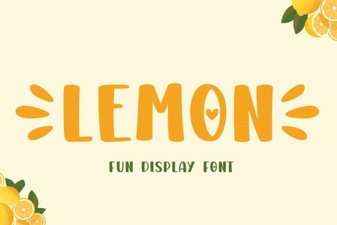 Fresh Fonts: Lemon's Creative Typography Ideas
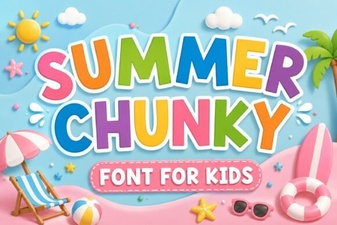 Chunky Summer Fonts for Bold Design Projects
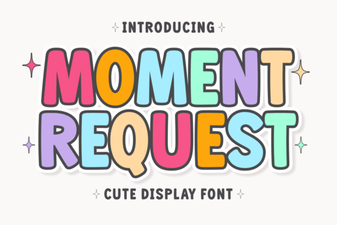 The Moment Request Font for Your Design Projects
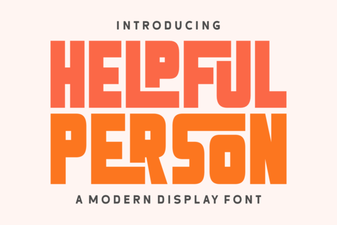 Helpful Person Font: Open Type Designs for Your Community Projects
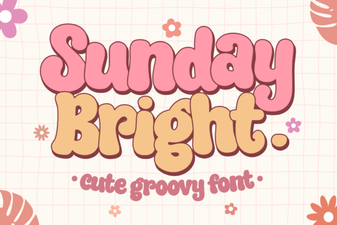 Sunday Bright Font: Projects & Creative Designs
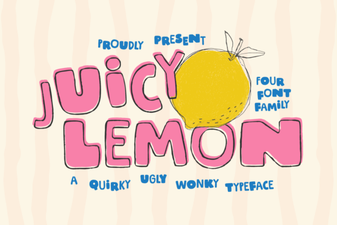 Fresh & Playful: the Juicy Lemon Font Collection